Solution Database / Operations
Automated Charity Enquiry Inbox
A shared inbox fills with repetitive questions and spam, causing staff to miss volunteer enquiries and waste time on triage. A specialised inbox solution that understands the specific context of non-profit operations and volunteer management.
01The offer
For operations managers at small charities, turn incoming emails into categorised interactions and sent replies, and the problem it addresses is staff burnout caused by overflowing inboxes. The value hypothesis is that routine tasks are automated and no lead is lost; the pilot must establish whether this benefit is real.
- For
- Operations managers at small charities
- Takes in
- Approved reply templates, email account credentials, classification rules, and existing CRM or spreadsheet integration details.
- Delivers
- Categorised email logs, automated replies for routine queries, and drafted responses for complex queries ready for review.
- Message
- Never miss a volunteer enquiry again with an inbox that sorts itself.
- Lead magnet
- A free audit of your current email response times and volume.
02How it works
- Classify incoming messages by type
- Generate instant replies from approved templates
- Personalise replies with sender details
- Draft complex messages for human review
- Log all interactions in a CRM or spreadsheet
- Flag urgent enquiries for immediate attention
Workflow
Connect email account, define classification rules, upload approved reply templates, review daily draft digest, approve or edit drafts, send approved replies, log interaction history. Start with incoming emails and approved templates and finish with categorised interactions and sent replies.
AI and people
Use language models to read and classify emails and generate text from templates. A human must review and approve any message involving money or personal data before sending.
Screens
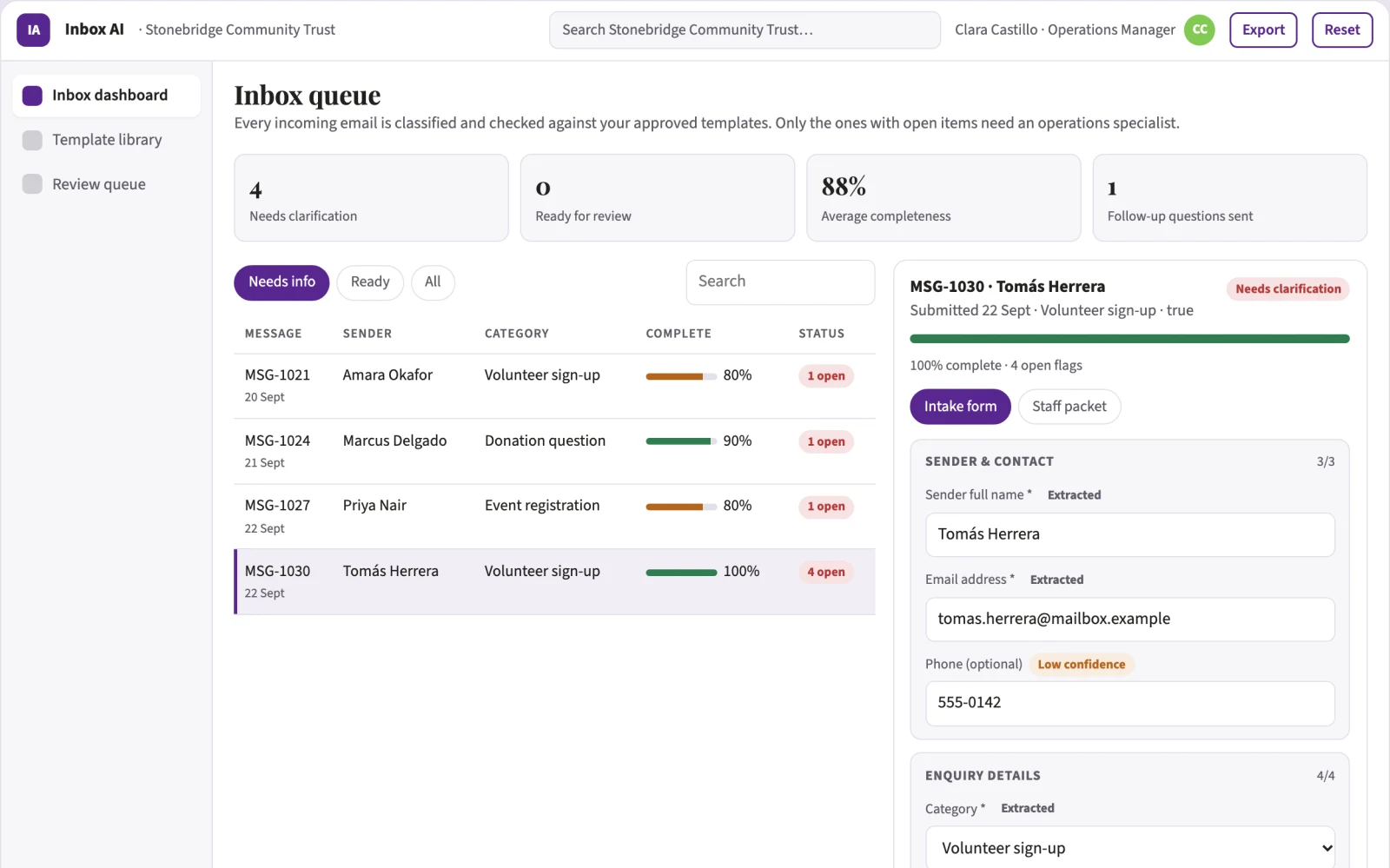
Key screens: Inbox dashboard, template library, review queue. Use a central dashboard showing email volume and categories, a template editor for approved replies, and a queue panel for drafts needing human review. Display status flags for urgent items. In this product, the first view is the dashboard, followed by the template library and review queue.
Admin
User roles for admins and reviewers, version history of templates, approval workflows for drafts, audit logs of all email interactions, and access controls for sensitive data.
03Market gap
Alternatives buyers use today
Manual email sorting, generic CRM auto-replies, and shared spreadsheets for tracking enquiries.
Where this wins
Building a library of high-quality templates for non-profits and fine-tuning the AI on the specific language used in charity communications.
04Why now
Operations teams are adopting AI for exactly this kind of repeatable work, and the cost of language and vision models has dropped far enough that a narrow, reviewed workflow pays back quickly. The buyer already feels the problem: a shared inbox fills with repetitive questions and spam, causing staff to miss volunteer enquiries and waste time on triage.
05Proof & signals
Channels where buyers gather: Charity networking events, non-profit directories, and social media groups.. Metrics that prove it works: Hours saved per week on email triage, and increase in volunteer enquiry response rate..
Paid pilot
Compare the time spent on email triage before and after implementation, and measure the percentage of volunteer enquiries answered within 24 hours.
06Execution plan
MVP
One charity client, one shared email address, handling volunteer enquiries and donation receipts, with manual review of drafts.
First 30 days
Week 1: Connect to the shared inbox and map email types. Week 2: Build and approve the top five reply templates. Week 3: Launch the auto-reply and draft queue. Week 4: Review the daily digest and optimise the template library.
After the pilot
Automated donation receipts, spam filtering, and integration with volunteer management software.
Retention
Recurring monthly fees based on inbox volume and template library expansion.
Integrations
Gmail or Outlook, Google Sheets or Excel, and existing CRM systems.
07Investment and running costs
| Phase | Scope | Time | Budget |
|---|---|---|---|
| MVP | One buyer segment, one recurring use case. Manual review in the loop. | 3 days | $6,000 |
| Paid pilot | Accounts, roles, review states, audit trail and the first integration, hardened for two to three paying pilot customers. | 4 days | $5,500 |
| Full product | Self-serve onboarding, billing, monitoring and the wider integration set. | 6 days | $8,000 |
| Total | $19,500 | ||
| Running | Hosting | AI usage | Total a month |
|---|---|---|---|
| MVP and paid pilot (about 3 customers) | $30–$60 | $40–$90 | $70–$150 |
| Full product (about 50 customers) | $110–$210 | $280–$560 | $390–$770 |
Revenue model to test
$500 per month per shared inbox.
Cost drivers
AI compute costs, template development time, and ongoing maintenance.
Safeguards
Strict rules preventing AI from sending messages without human approval, especially those involving money or personal data, and a manual override for any flagged content.
Take it further
Solution blueprint, rewritten from an earlier Nexibeo concept. Demand, pricing, build scope and integrations are working assumptions, not verified market findings. The MVP and the paid pilot exist to confirm them for your business before the larger build.