Automated Compliance Renewal Manager
Compliance certificates expire unnoticed, leading to fines or insurance invalidation. Every certificate and licence is tracked from expiry to renewal, with contractor chasing handled automatically.
01The offer
For facilities leads, turn a manual spreadsheet of expiry dates into a fully managed renewal schedule and compliant filing system. Address the recurring problem of missed deadlines and administrative scrambling. The value hypothesis is a fully automated cycle from booking to filing; the pilot must establish whether this reduces administrative overhead and prevents compliance breaches.
- For
- Facilities leads at property management firms
- Takes in
- Supplier list, expiry dates, email addresses for contractors and site contacts
- Delivers
- Automated renewal schedule, calendar invites, structured filing system, compliant register
- Message
- Never miss a compliance deadline again with fully automated certificate tracking and renewal
- Lead magnet
- Free audit of current compliance register
02How it works
- Parse expiry dates from supplier lists
- Schedule automated outreach to contractors
- Parse contractor reply emails for appointment slots
- Send calendar invites to site contacts
- Monitor inbox for new certificate PDFs
- Rename and store files in structured folders
Workflow
Ingest register, trigger outreach, parse reply, book slot, send invite, monitor inbox, rename file, flag for review, file compliant. Start with a supplier list and expiry dates and finish with a compliant filing system and updated register.
AI and people
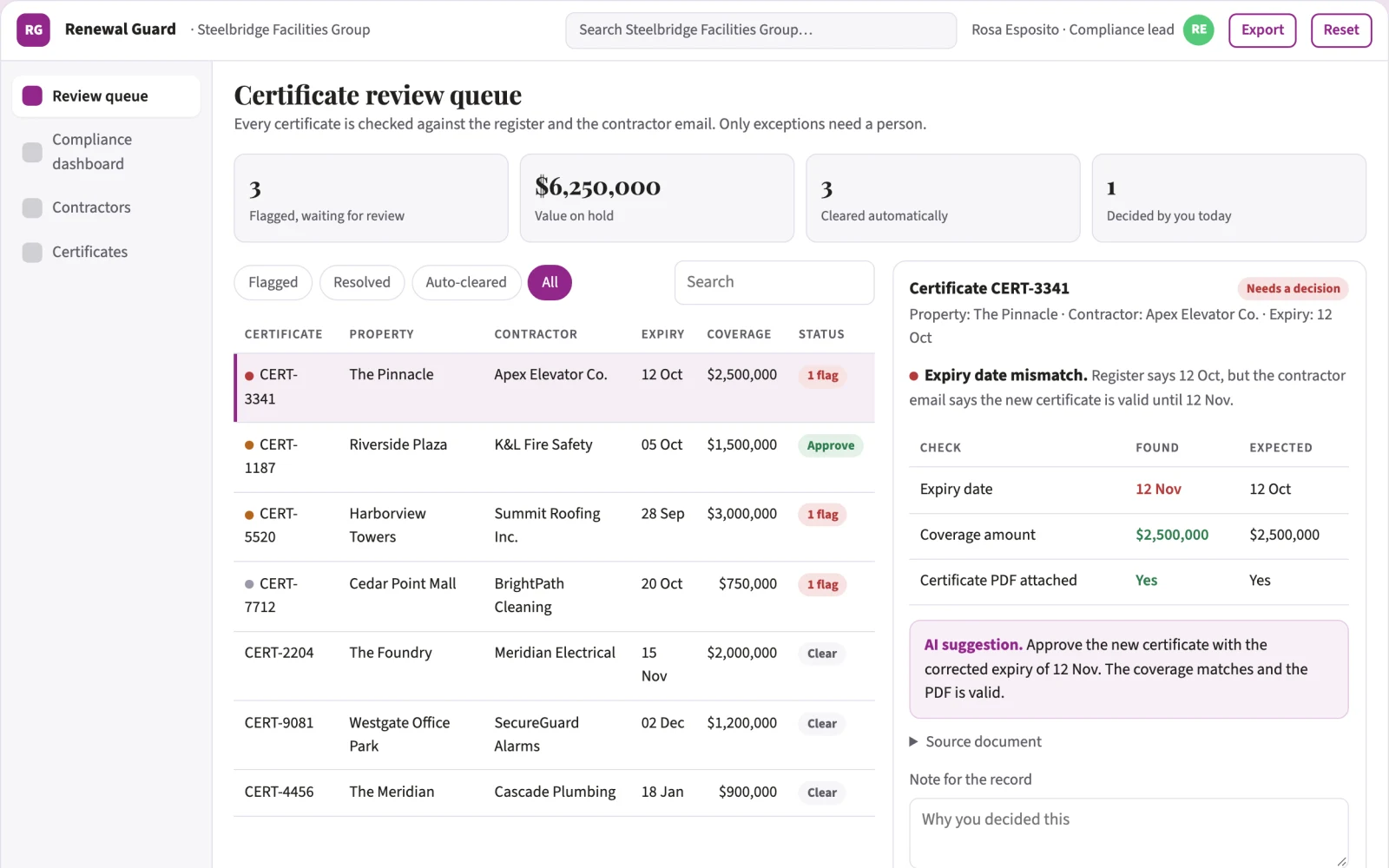
Use natural language processing to extract dates and availability from contractor emails. Use optical character recognition to verify certificate details. A human reviewer must validate the certificate content before it is marked compliant.
Screens
Key screens: Compliance dashboard, contractor booking interface, document review queue. Use a dashboard for status overview, a booking form for contractor communication, and a review area for PDFs. The first view is the dashboard, followed by the booking interface and document review queue.
Admin
User roles for managers and reviewers, audit trail of actions, version history of the register, approval states for certificates
03Market gap
Alternatives buyers use today
Excel spreadsheets, manual calendar reminders, generic email automation tools
Where this wins
The value comes from the specific parsing logic for contractor emails and the integration with calendar systems, which becomes harder to replicate as the library of contractor communication styles grows
04Why now
Legal teams are adopting AI for exactly this kind of repeatable work, and the cost of language and vision models has dropped far enough that a narrow, reviewed workflow pays back quickly. Rising compliance and audit expectations make a documented, reviewable process worth more than an ad hoc one. The buyer already feels the problem: compliance certificates expire unnoticed, leading to fines or insurance invalidation.
05Proof & signals
Channels where buyers gather: LinkedIn, industry property management forums, trade publications. Metrics that prove it works: Percentage of renewals completed on time, hours saved per month on admin tasks.
Paid pilot
A paid pilot proves it by tracking a specific set of high-risk certificates (e.g., fire safety) for three months, comparing the time spent on admin before and after, and measuring the number of renewals completed on time.
06Execution plan
MVP
First cut: one property portfolio, one inspection type (e.g., fire alarms), manual review of the first batch of certificates
First 30 days
Week 1: Ingest register and set up calendar triggers. Week 2: Test contractor outreach and reply parsing. Week 3: Implement PDF monitoring and renaming. Week 4: Enable manual review workflow and dashboard.
After the pilot
Automate the human review step using OCR to verify certificate validity, integrate with accounting software for invoice matching, and add multi-language support for international sites
Retention
Earns recurring revenue as long as the client has certificates to manage, with upsells for additional inspection types
Integrations
Google Calendar, Outlook, Gmail/IMAP, cloud storage (Google Drive/OneDrive)
07Investment and running costs
| Phase | Scope | Time | Budget |
|---|---|---|---|
| MVP | One buyer segment, one recurring use case. Manual review in the loop. | 3 days | $6,000 |
| Paid pilot | Accounts, roles, review states, audit trail and the first integration, hardened for two to three paying pilot customers. | 4 days | $6,000 |
| Full product | Self-serve onboarding, billing, monitoring and the wider integration set. | 6 days | $8,000 |
| Total | $20,000 | ||
| Running | Hosting | AI usage | Total a month |
|---|---|---|---|
| MVP and paid pilot (about 3 customers) | $30–$60 | $80–$160 | $110–$220 |
| Full product (about 50 customers) | $110–$210 | $880–$1,750 | $990–$1,960 |
Revenue model to test
Test pricing at 50 USD per unit per month as a hypothesis
Cost drivers
Server hosting, API costs for email parsing and calendar integration
Safeguards
Strict permission settings to prevent the system from cancelling existing appointments, manual override buttons for complex contractor replies, and a requirement for human approval before marking a certificate as compliant
Take it further
Solution blueprint, rewritten from an earlier Nexibeo concept. Demand, pricing, build scope and integrations are working assumptions, not verified market findings. The MVP and the paid pilot exist to confirm them for your business before the larger build.